
How to extract data from Google Maps ?
Google Maps isn’t just a tool for directions — it’s a goldmine of business data that can be used for lead generation, market research, competitor analysis, and sales outreach. With the right tools and steps, you can extract business names, addresses, phone numbers, emails, reviews, and more directly from Google Maps.
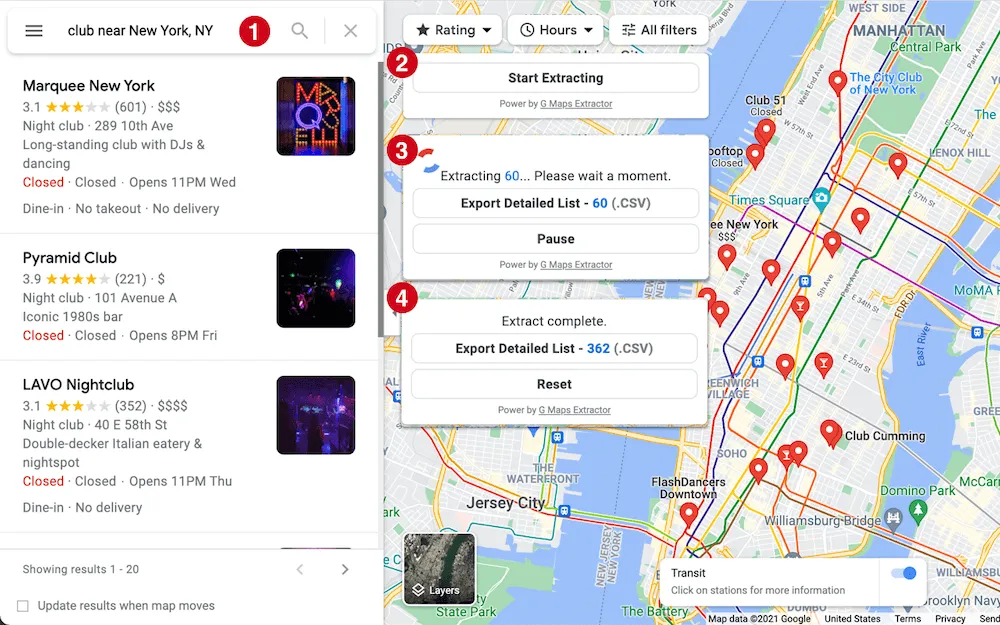
This article provides a complete guideline about how to extract a detailed report of business data from Google Maps effortlessly without wasting your precious time.
Why Extract Data from Google Maps?
Google Maps contains detailed information about millions of businesses around the world. Extracting this data can help you:
Build targeted lead lists for sales and marketing
Update and enrich your customer profiles
Find competitor information in a specific location
Perform market research for new areas
Gather reviews and ratings for analysis
Collect contact details like phone numbers and email
This makes Google Maps a powerful source for anyone looking to grow their business or improve outreach campaigns.
Why Extract Data from Google Maps?
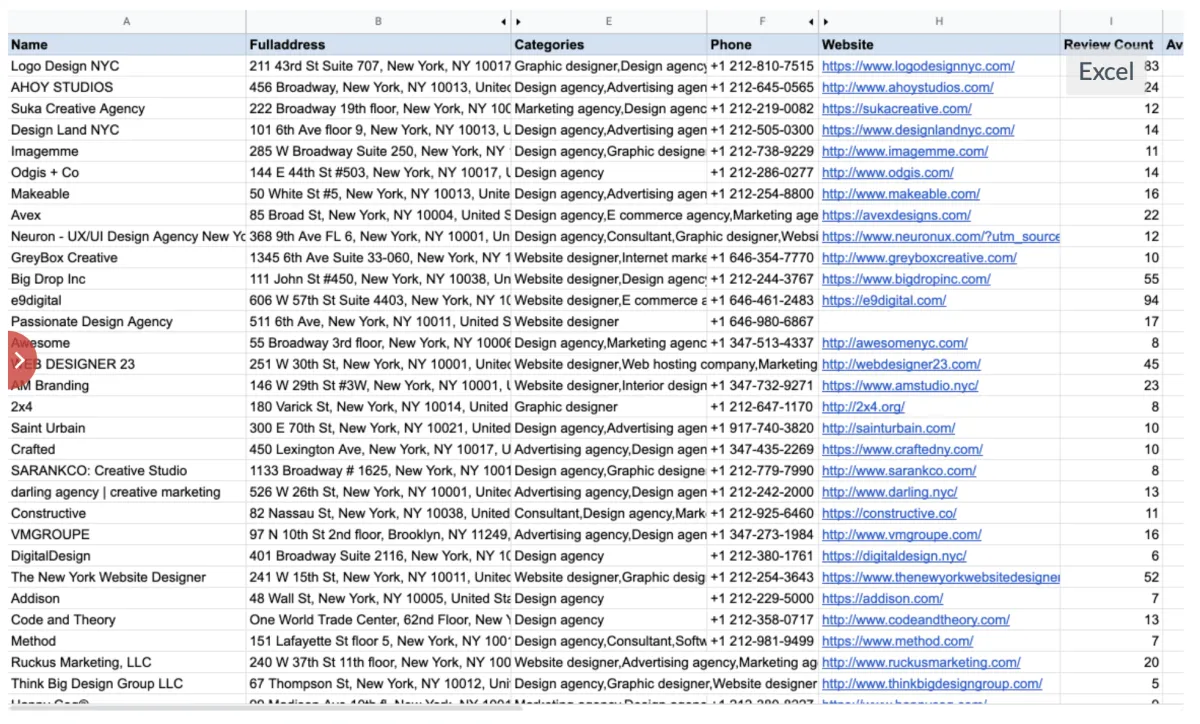
When extracting data, you can get:
Business Details
Business name
Full address
Contact phone number
Email address
Additional Details
Website URLs
Ratings and review counts
Latitude and longitude coordinates
Social media profile links
Step-by-Step: How to Extract Google Maps Data
Here’s how to get started using a Google Maps data extractor tool:
Step 1: Install the Tool / Extension
If you’re using a browser, install it from the Chrome or Edge store.
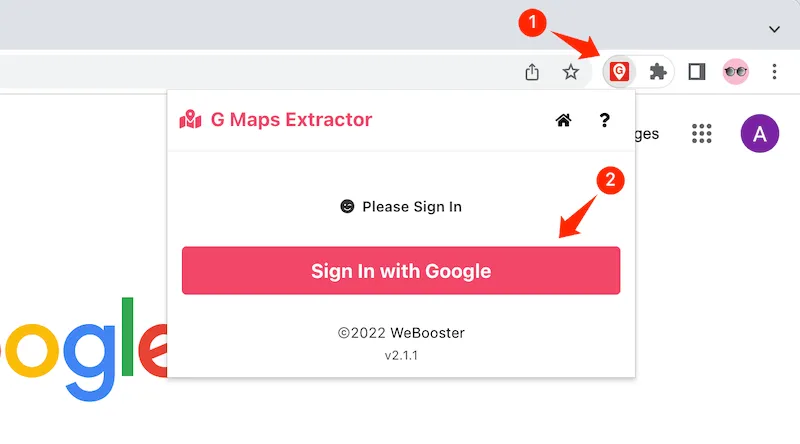
Step 2: Sign in With Google
Open the extension and sign in with your Google account. This ensures the tool can access your Maps session.
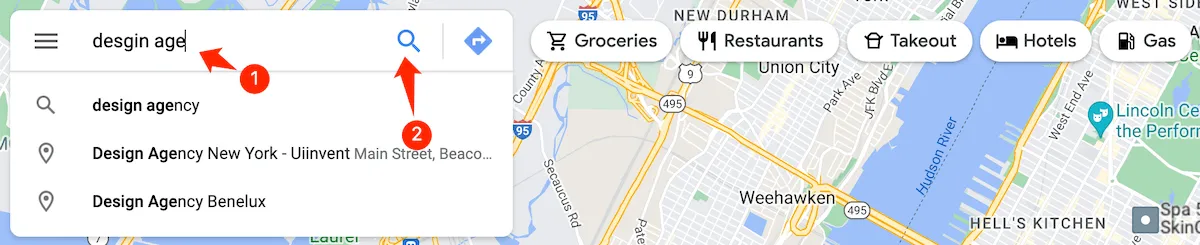
Step 3: Search Google Maps
Go to Google Maps, then enter the keyword you want to extract data for — for example, “design agency in New York City”.
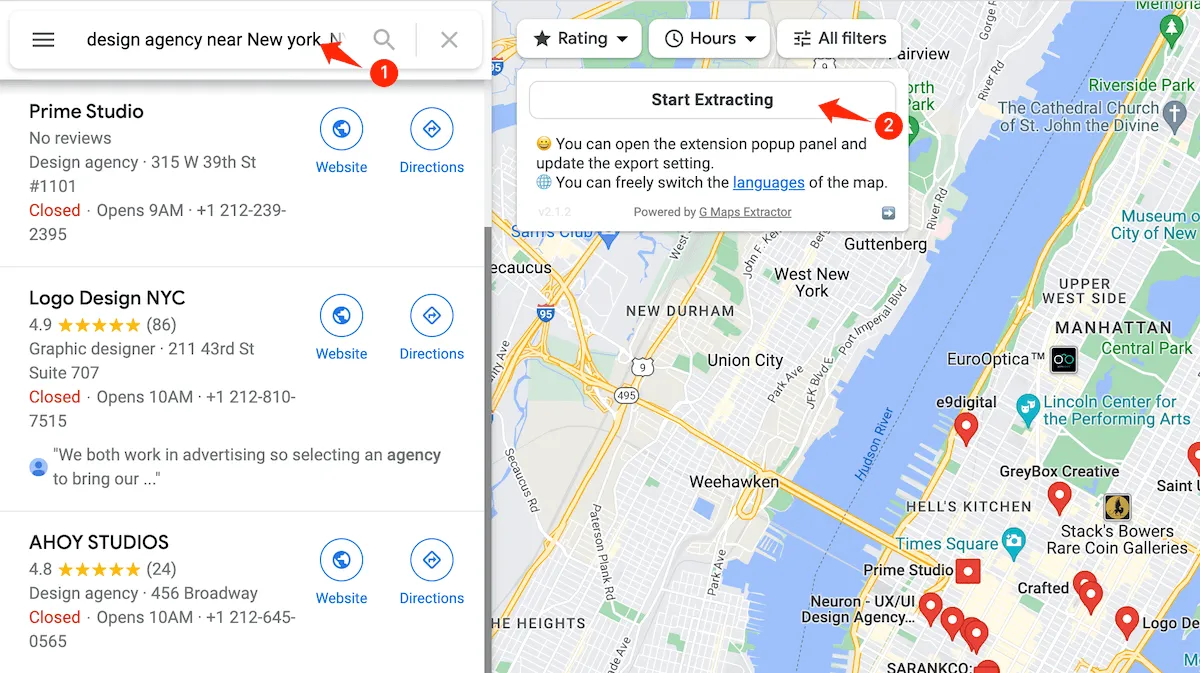
Step 4: Start Extraction
Go to Google Maps, then enter the keyword you want to extract data for — for example, “design agency in New York City”.
Step 5: Export the Results
Once extraction is complete, export the data into a CSV or Excel file. You can then use this file for marketing, outreach, or data analysis.
The Benefits of Using a Google Maps Extractor
Here are some reasons businesses use these tools:
Easy to Use
Most tools require no technical skills — you just search, click, and extract.
Fast Results
Data extraction can take just a few minutes, even for large lists.
Exportable Data
You get data in formats like CSV or Excel that integrate with your CRM or outreach tools.
Multiple Use Cases
From sales teams to market researchers, many teams benefit from this data.
Tips for Better Extraction Results
✔ Use clear, specific search keywords — e.g., “coffee shops in Los Angeles”
✔ Break up large locations into smaller areas to increase data coverage
✔ Always review exported data to check for missing or duplicate entries
✔ Combine extracted data with tools like Google Sheets or CRMs for automation
Conclusion
Extracting data from Google Maps can supercharge your lead generation and research efforts. Tools like Google Maps Extractors make this process simple, fast, and effective — helping you gather comprehensive business information in just a few clicks.
G Maps Extractor
Google Maps Scraper lets you extract data from Google Maps and export to CSV/JSON/EXCEL file, includes reviews, images, phone number, email address and social media profiles.
Comparisons
Contact
Send us an email at
[email protected] if you have any questions. We'll help you out.