
How to Install G Maps Extractor Chrome Extension
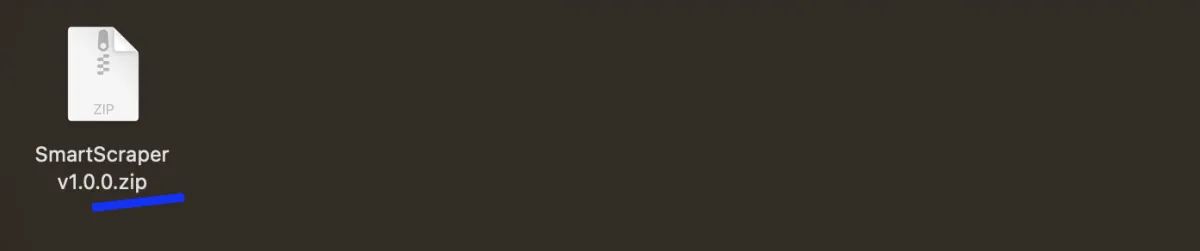
1. Download the extension package (It's free).
2. After downloading extension package as a zip file.
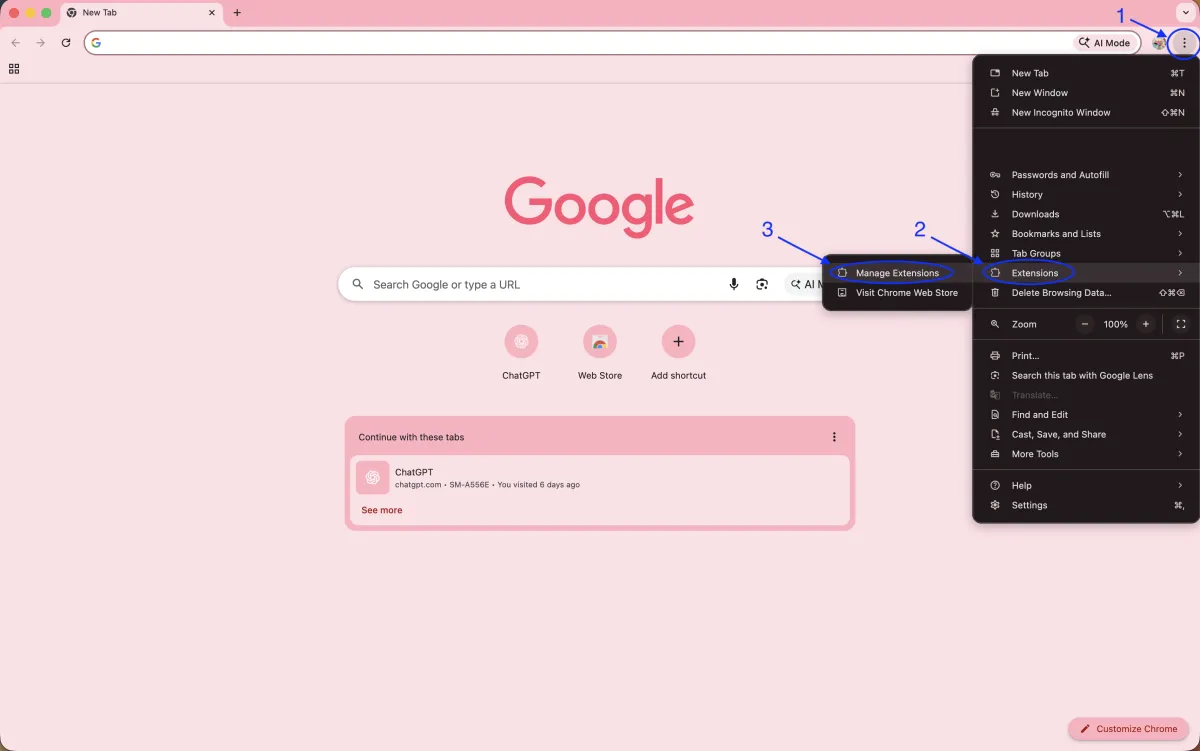
3. In Chrome, navigate to chrome://extensions
4. Enable the Developer mode.

5 (i). Drop the SmartScraper.zip to the Chrome Extensions page.

OR
OR
5 (ii). Click on Load Unpacked and select the unzipped smartscraper folder (v1.0.0).

6. Done!
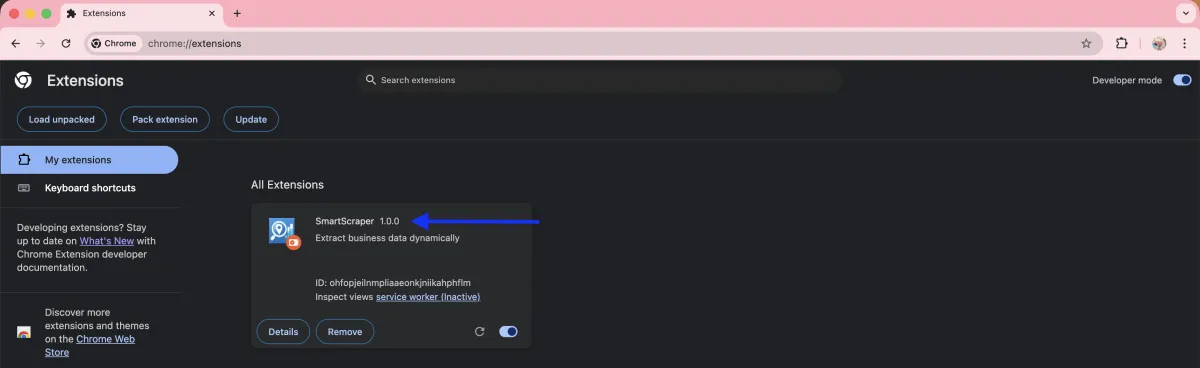
7. The extension is installed and you are ready to go. You can now manage the extension as you would any other, and its icon will appear in the Chrome address bar (if it has one) to the right of the address bar, pin it.

We will always keep updating our products. If you have any questions, please feel free to contact us.
Copyrights 2026 | SmartScraper | Privacy Policy | Terms & Conditions - 1070 Maple Way, Jackson, WY 83002